
One photo in, one picture out.
Viswap does one thing. You give it a photo and choose what it should become; it returns that photo, edited. No prompt to write and nothing to tune — just choose a transformation.
Upload one photo
A JPG, PNG or WEBP up to 20 MB, from your phone or your camera. One photo per transformation — that is the entire input.
Choose a transformation
Pick the look you want and tap it. No prompt to write and nothing to tune — the transformation already knows what to do.
It runs
20 credits are reserved when you start and charged when it finishes. If it fails, they go back.
Keep the result
One edited picture, usually in under a minute. Download it, or find it again later in your history.
What that looks like
One photo in, one picture out. This one chose Plush.
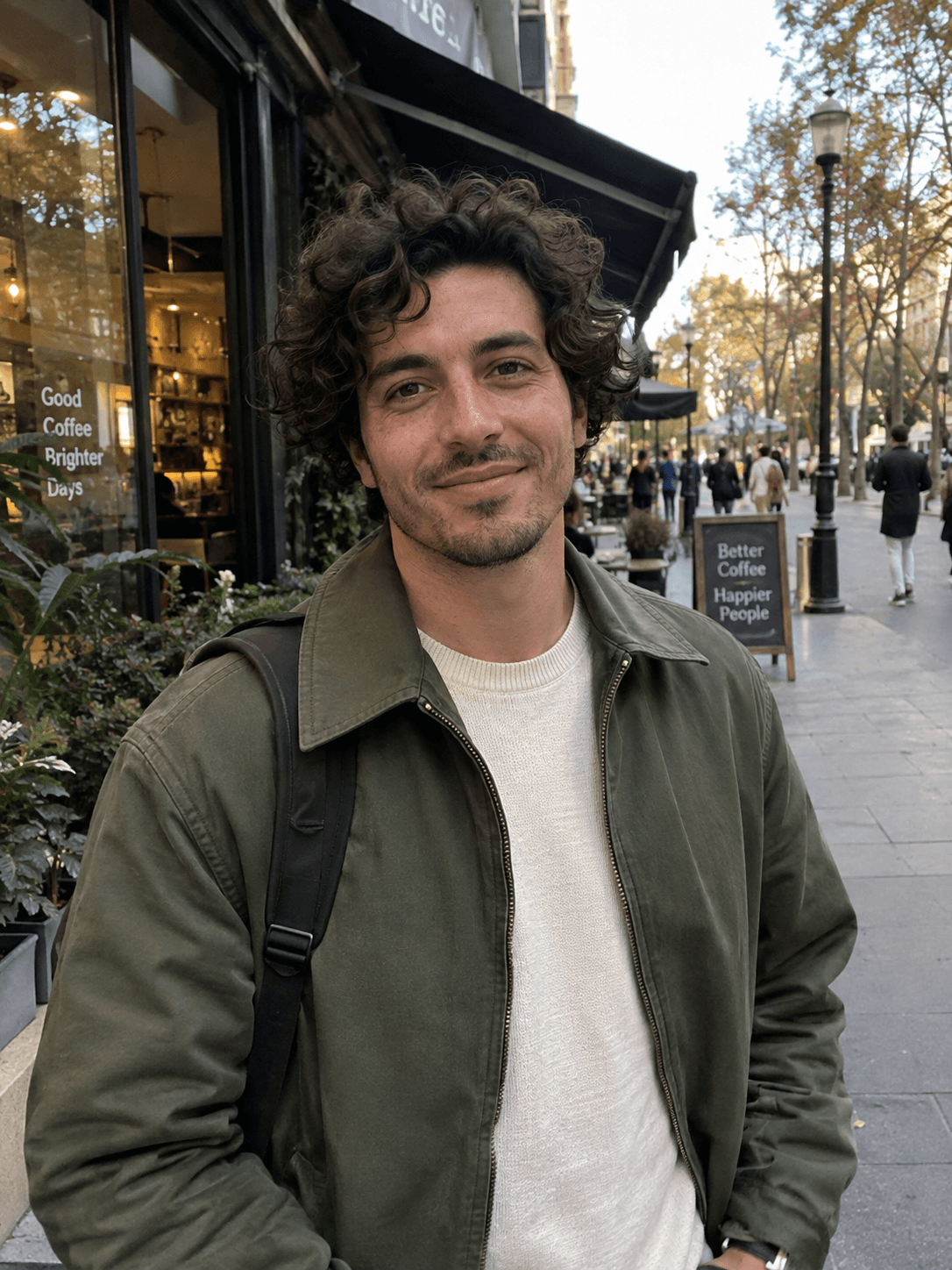
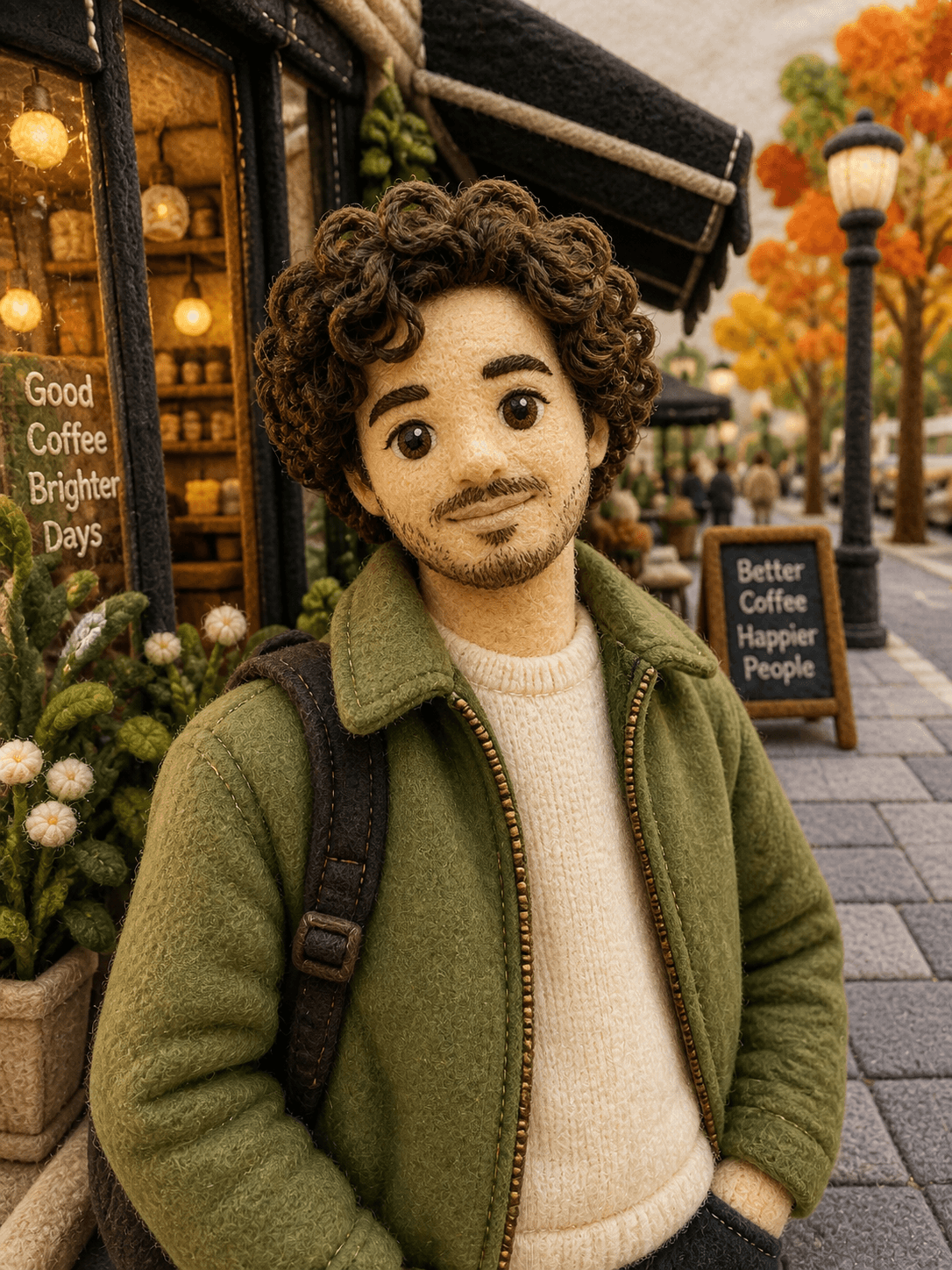
Remade as a handcrafted stuffed toy — soft fabric, stitching and seams.
What you can choose from
Every transformation available today. One per photo.
- Plush
- Caricature
- Anime
- Block Toy
- Vinyl Figure
- Chibi
- Vintage Poster
- Clumsy Crayon